Browser Extension
The SharePass browser extension enhances your SharePass experience by providing convenient access to SharePass tools directly from your web browser. Currently available on Google Chrome, this extension streamlines various SharePass functionalities while ensuring data security.
Installing and Setting Up the Extension
Begin by downloading and installing the extension on your browser. Once installed, the extension offers three primary options:
- Create an Account: If you’re new to SharePass, select this option to create your SharePass account quickly. Follow the prompts to set up your account and access SharePass features.
- Sign In: For existing SharePass users, simply choose the ‘Login’ option. Enter your SharePass credentials to access your account directly via the extension.
- Sign In Enterprise: Organizations using SharePass One can opt for ‘Enterprise Mode.’ Here, we can enter their domain for streamlined access to enterprise-level features.
Creating a Secret
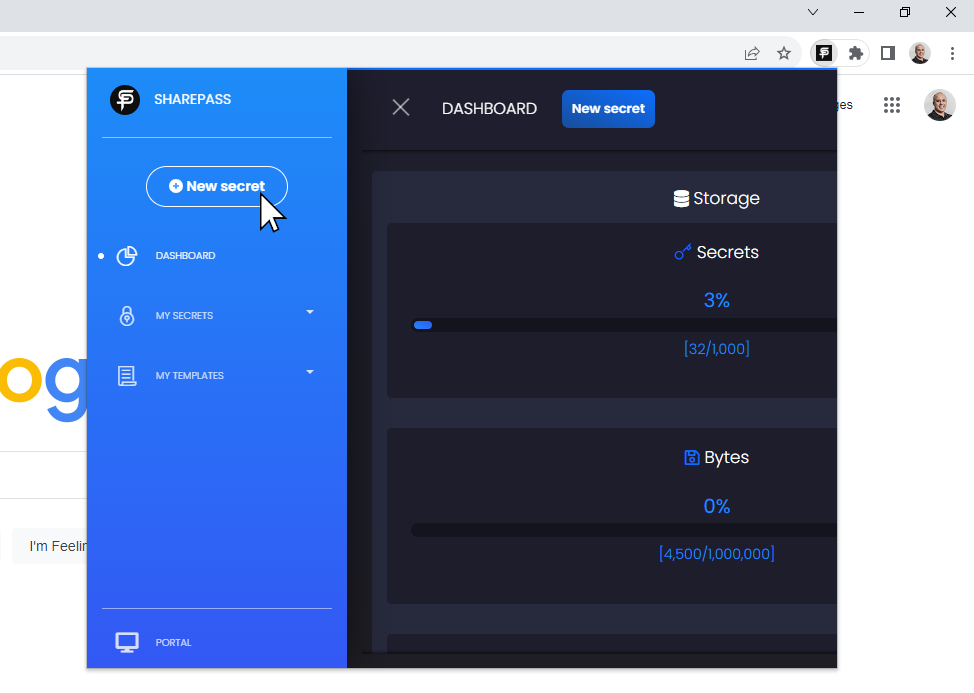
The SharePass browser extension simplifies secret creation. With a few clicks, compose your secret, adjust security settings, and generate a secure SharePass link. It’s a seamless way to protect and share confidential information right from your browser, no tab-switching required.
Creating a Secret On-the-Go
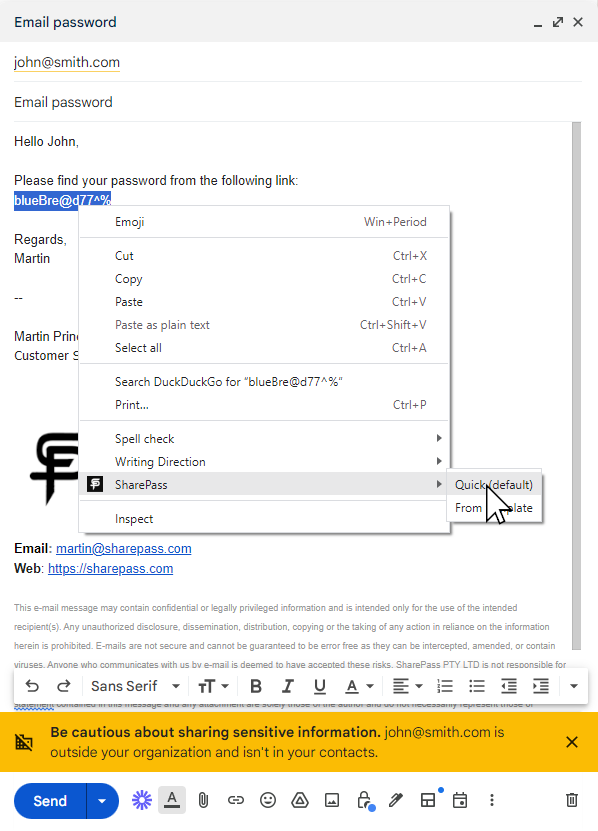
On-the-go secret creation made effortless. With the SharePass browser extension, simply select the text you want to encrypt, right-click, and create a secure SharePass link instantly. Choose from default or custom templates right from the context menu. Share your confidential information swiftly, no matter where you are online.