Do you want to share secrets on the fly from your iOS mobile device?
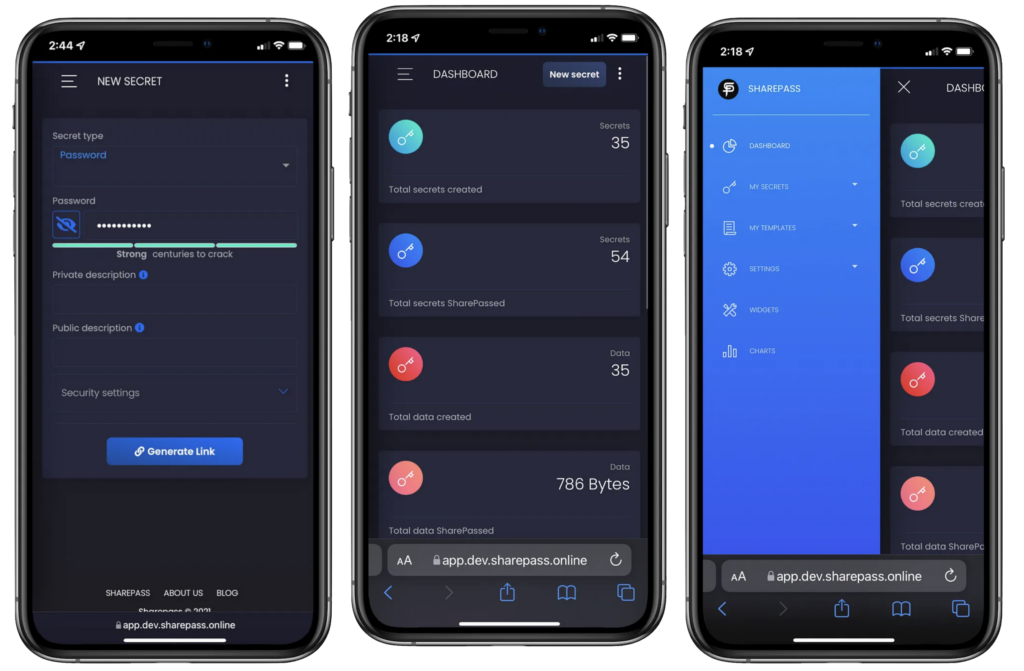
SharePass has recently released a beta version of its mobile app along with the iOS keyboard. The mobile app gives you the full functionality of SharePass via the SharePass portal.
From here, you can manage your secrets, set expiration, create availability timeframes, apply templates, tags and a host of security checks and mechanisms like IP restrictions, lock controls and advanced security features.
The SharePass iOS keyboard will allow you to instantly generate encrypted secrets with a press of a button without having to access the portal (as shown in the video below).
As the keyboard integrates with the SharePass portal, any secret generated will be logged in your portal, giving you further control and customisation.
The SharePass mobile app and keyboard are currently available on TestFlight mode by invitation. If you like to try and test it, please register your interest here and mention “mobile app beta testing”.